Structure and Organization
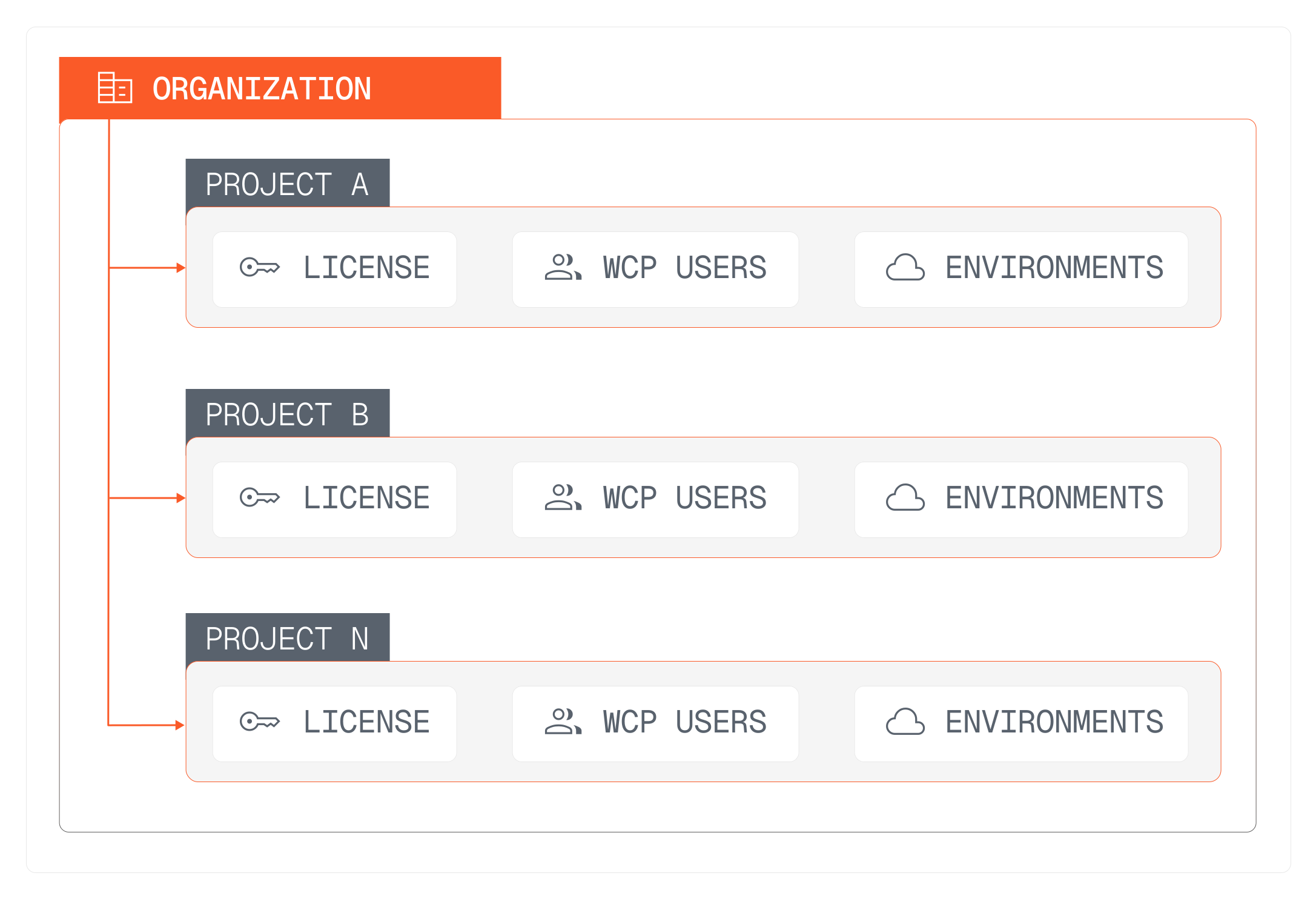
The Webiny Control Panel is organized around the concepts of Projects, Environments, and Team Members, and an overarching Organization structure.
In this lesson...
Here are the topics we'll cover
What is an organization.
What are projects inside WCP.
What is a license.
What are team members.
What are environments and how are they used.
What is an Organization
An organization is a collection of projects. It represents your company or team within the Webiny Control Panel. When you sign up for a WCP account, you automatically create an organization, and then you can create projects under that organization.
What are Projects
A project is a specific Webiny project that you are managing. Each project has its own license, environments, and team members. Projects are the main entities that you will be working with in the Webiny Control Panel.
What is a License
A license is associated with each project and it determines which features are available and how many users and tenants can be created within the Webiny instance to which the license is assigned.
When we say "users" here, we are referring to the number of users that can access the Webiny instance associated with the project and its license. When you are using the free version of Webiny, you have unlimited users, but when you upgrade to a paid plan, the number of users is defined by the license assigned to the project.
What are Team Members
Team members are users who have access to the organization and its projects. You can invite team members to collaborate on projects and manage licenses together. Each team member will have their own login credentials and permissions based on their role within the organization.
Typically, WCP team members would be fellow developers, or people responsible for the billing of the organization.
Each project can have multiple team members under every project, and they come at no additional cost.
What are Environments
Environments represent different deployment stages for your Webiny projects, such as development, staging, and production. Every environment under that project will share the same license and features.
Each project can have multiple environments, allowing you to manage and test your Webiny applications in different settings before deploying them to production.
You can have as many environments as you need under a single project, and they come at no additional cost.